top of page
Search
  • tptshuma
  • Feb 8, 2021
  • 1 min read

Updated: Apr 16, 2021

Following Craig's videos I learnt the basics in illustrator and was able to make a flower and snowman. To make the flower I took a star and curved in the edges.

The snowman took more steps as I had to merge together the circles for the body, then I created the stick arm using the same rounding tool as the flower. I made a snowflake detail on the scarf using the rotate tool which I practice using with the rectangles.

I really enjoyed using illustrator and prefer it to photoshop.

I'm next going to try make Carli's badge from my design for script module


  • tptshuma
  • Feb 8, 2021
  • 1 min read

Updated: Apr 16, 2021

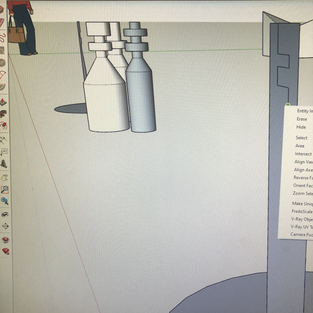
This sketch up lesson we learnt how to use the follow through tool.

To practice I first tried using the follow through tool to make cornices in this room I made.

I created rectangle shapes then used the push/pull tool to lift them.Then I carved ridges into them and after using the follow through tool it created these chess pieces.

It was really fun designing this chess board and I really enjoy how many things you can create with sketch up


  • tptshuma
  • Feb 8, 2021
  • 1 min read

Updated: Apr 12, 2021

For our first sketch up lesson we learnt different shortcuts. First we learnt to make rectangle shapes using the R key. After practicing with other shortcuts we were left to try make a bridge and castle from a reference photo.


bottom of page